 Chopsticks HQ
- Battery hierarchy (one primary % + details)
- Appearance: Look vs color mode split
- Notarized builds when Developer ID is ready
- Optional migrate prompt for old Stable/Beta installs
v1.5.8 · Menu bar · Apple Silicon & Intel · macOS 14+
MacBar
Real-time CPU, temperature, memory, battery, and more — right in your Mac menu bar. Current: v1.5.8 · requires macOS 14+ (Sonoma or later). Free · no account · no telemetry.
Made by chopsticks
MacBar-v1.5.8.zip · 4.9 MB
No accounts. No telemetry.
Terminal install skips Gatekeeper · Apple Silicon · Terms apply once per session
- Version
- v1.5.8
- Size
- 4.9 MB
- Price
- Free
- Requires
- macOS 14+ (Sonoma or later)
- Platform
- Apple Silicon & Intel
- Telemetry
- None
Download
# Paste in Terminal (Stable) — download + install
%
NOTICE
Intel Mac will no longer be getting updates after v1.2.5-Beta.
Apple Silicon continues to receive updates. Plan to move to an Apple Silicon Mac for ongoing support.
M1 / M2 / M3 / M4 → Apple Silicon. Older Intel Macs → Intel (compiles on your Mac · last updates through v1.2.5-Beta).
First open on macOS
Builds are ad-hoc signed (not Apple-notarized yet). If macOS blocks the app: right-click MacBar.app → Open → Open. Prefer the App ZIP or Terminal install (no Xcode) from this site.
MacBar v1.5.8
menu bar monitor, Lab tools, cs.AI chat. Requires macOS 14.0+ · universal when available.
Recommended · No Xcode
Terminal install
Paste in Terminal. Installs to ~/Applications and clears the quarantine flag, so Gatekeeper never blocks it.
%
printf "\n[######--------------] 1/3 Download\n" && curl --progress-bar -fL https://github.com/ilikemacos/MacBar/releases/download/v1.5.8/MacBar-v1.5.8.zip -o /tmp/macbar.zip && printf "\n[############--------] 2/3 Unzip\n" && rm -rf /tmp/macbar-app && mkdir -p /tmp/macbar-app && unzip -qo /tmp/macbar.zip -d /tmp/macbar-app && printf "[####################] 3/3 Install\n" && mkdir -p ~/Applications && rm -rf ~/Applications/MacBar.app && ditto /tmp/macbar-app/MacBar.app ~/Applications/MacBar.app && xattr -cr ~/Applications/MacBar.app && printf "✓ Done → ~/Applications/MacBar.app\n"App ZIP — fallback. Unzip → Applications → Gatekeeper will block it, so right-click Open, then Open again.
Optional · Xcode
Compile from source
Needs Xcode CLT. Prefer App ZIP above.
%
printf "\n[########------------] 1/2 Download installer\n" && curl --progress-bar -fL https://github.com/ilikemacos/MacBar/releases/download/v1.5.8/MacBar-v1.5.8.sh -o /tmp/macbar-install.sh && printf "\n[####################] 2/2 Compile & install (Xcode CLT)\n" && bash /tmp/macbar-install.shPKG needs admin password. DMG — drag to Applications. .sh compiles from readable source (~30s). PKG may trigger a macOS security prompt — use System Settings → Privacy & Security → Open.
0
downloads
What people say
Live reviews from Product Hunt and AlternativeTo
Older macOS — downloads & limits
| macOS 14+ | Supported. Use the current App ZIP above. |
| macOS 11–13 | No app build. Current MacBar uses SwiftUI APIs that need macOS 14+. Big Sur / Monterey / Ventura are not supported. See the info pack. |
| Mac OS X 10.x | Not supported. No binary — too old for modern SwiftUI. |
| Mac OS 8 / 9 | Not possible. Classic Mac OS is a different platform. No MacBar app exists. |
The info pack is documentation only — not an installer for Mac OS 8, OS X, or macOS 11–13.
Download the current build for Apple Silicon (or Intel installers below). Terms apply once per session. Also on GitHub Releases.
Product
macOS · Apple Silicon · Menu bar
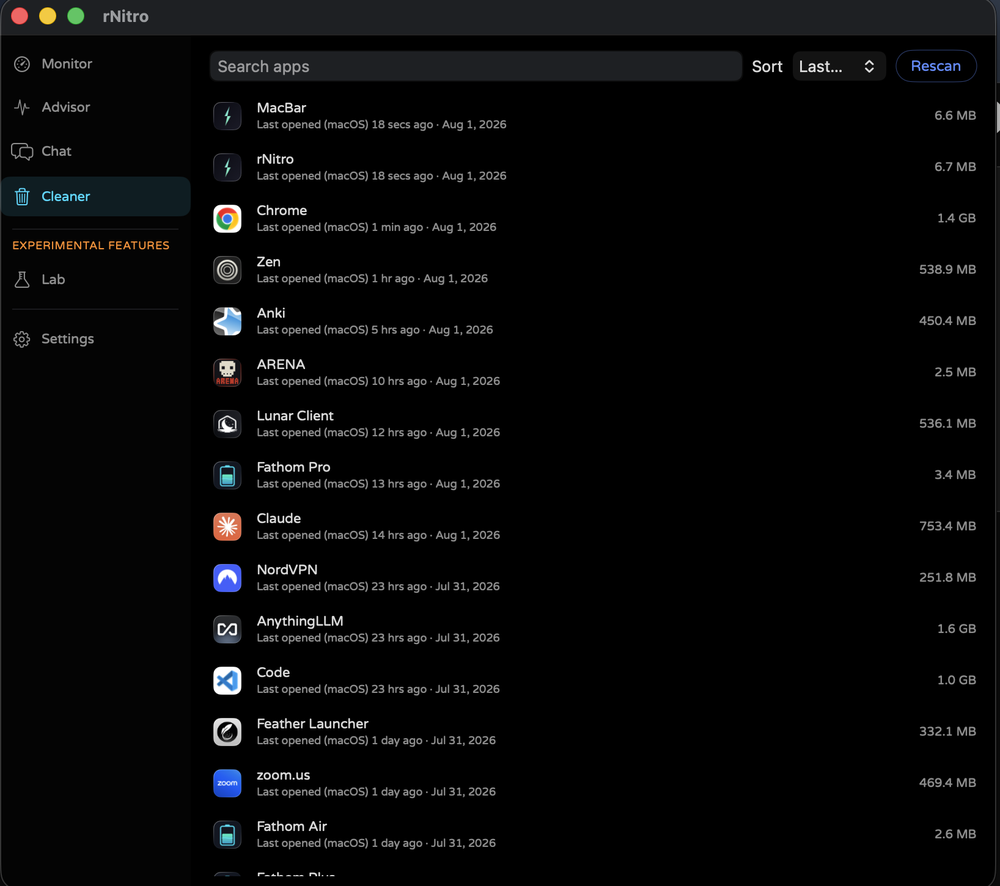
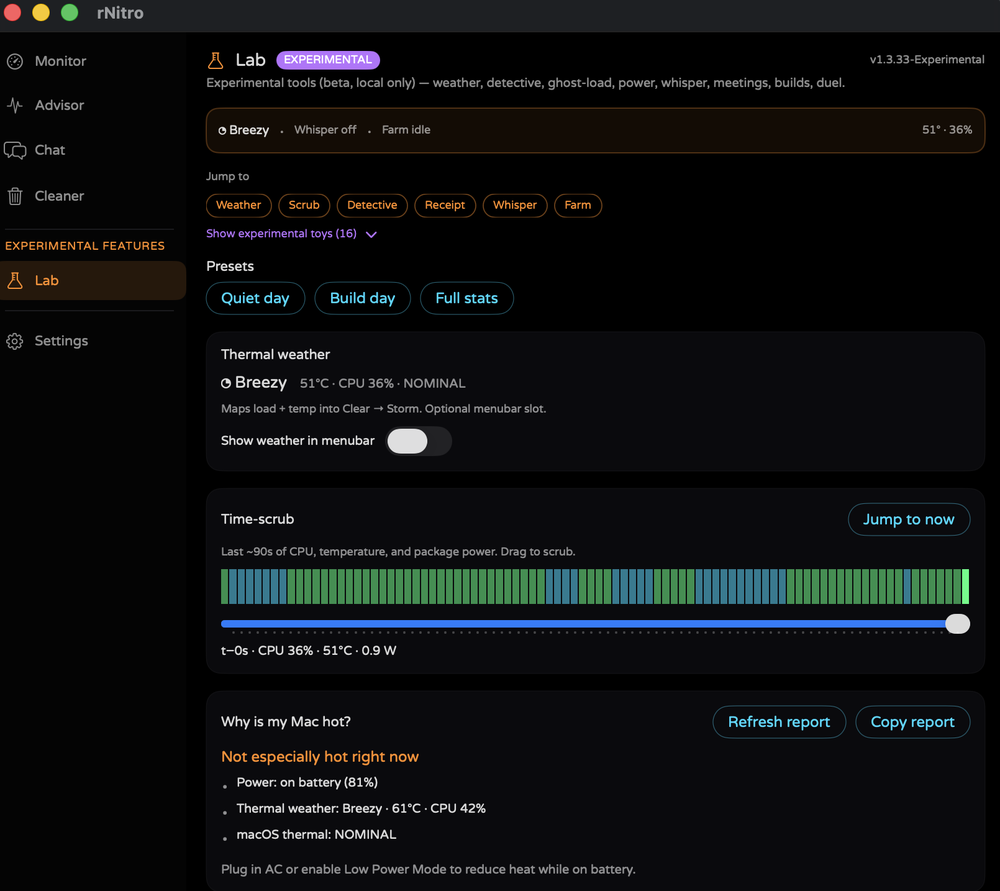
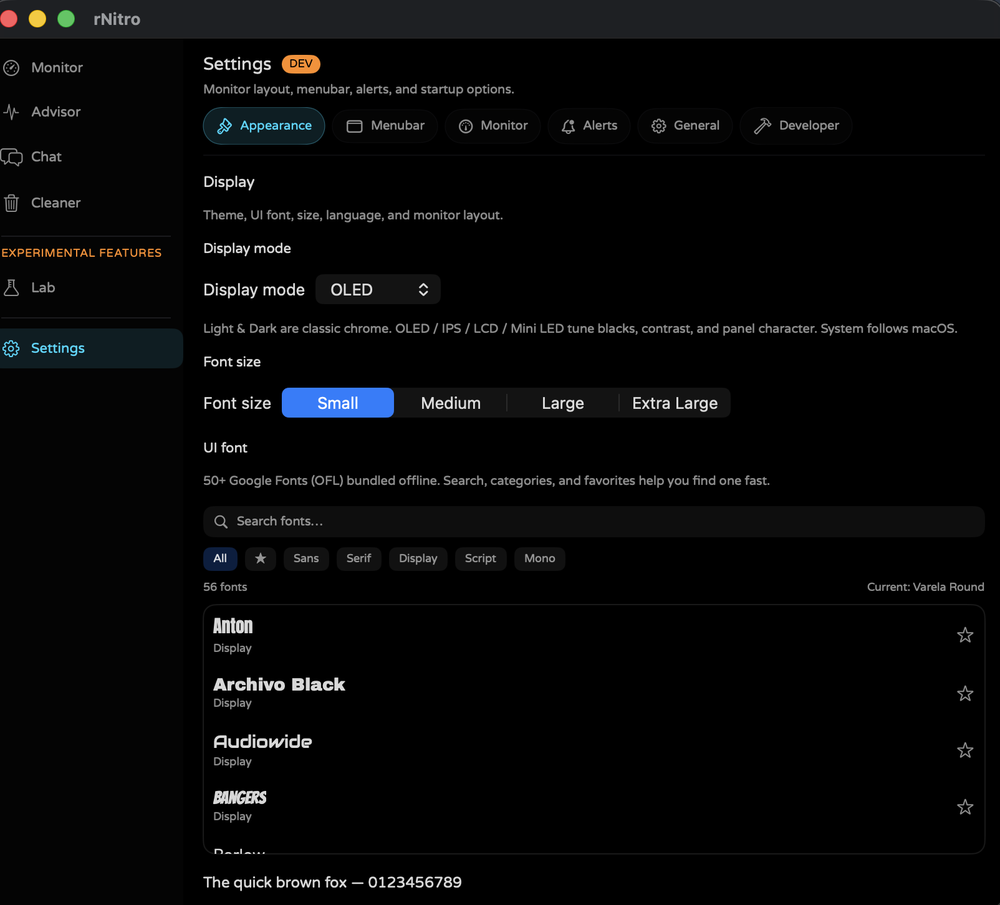
See MacBar on your Mac
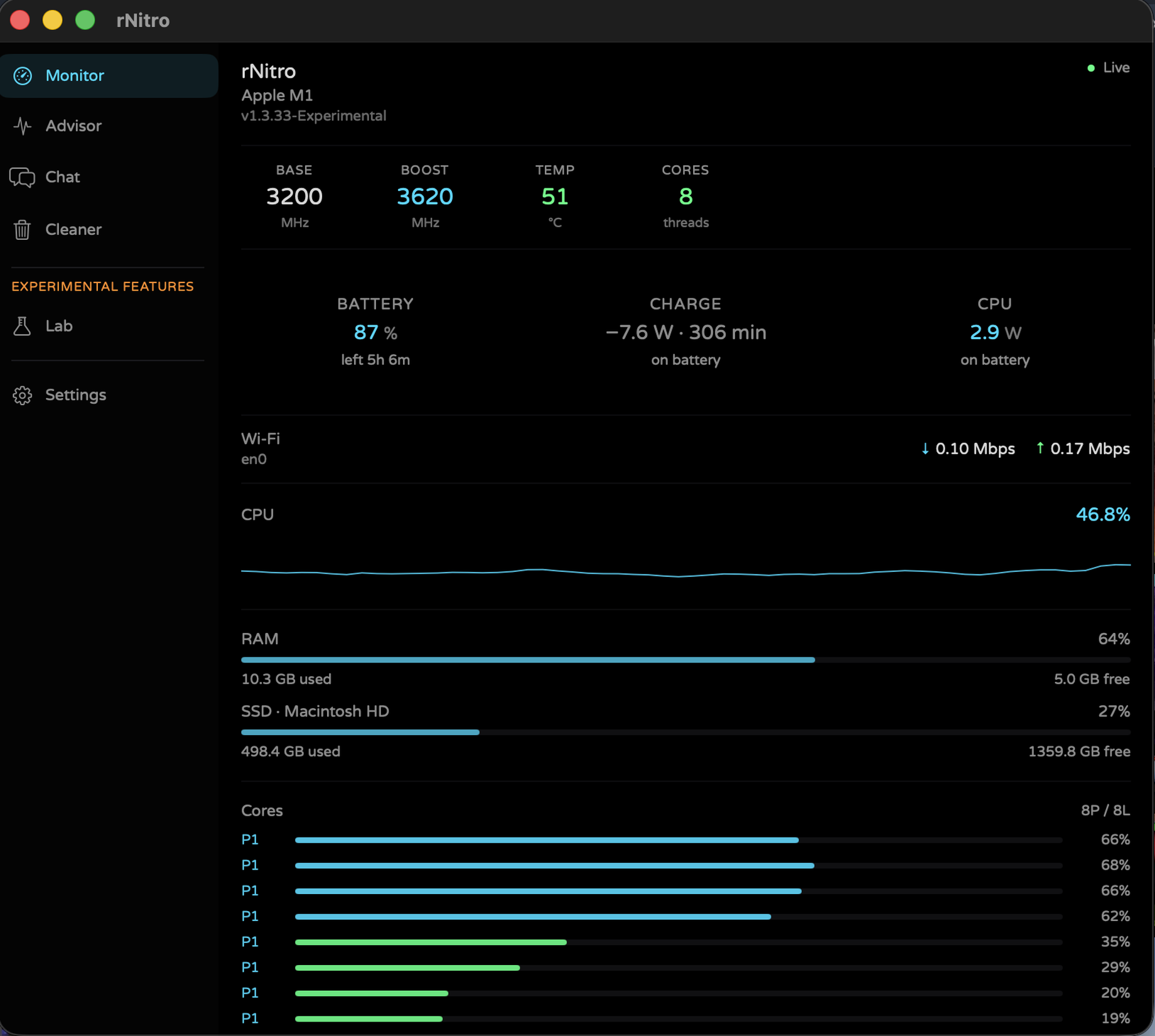
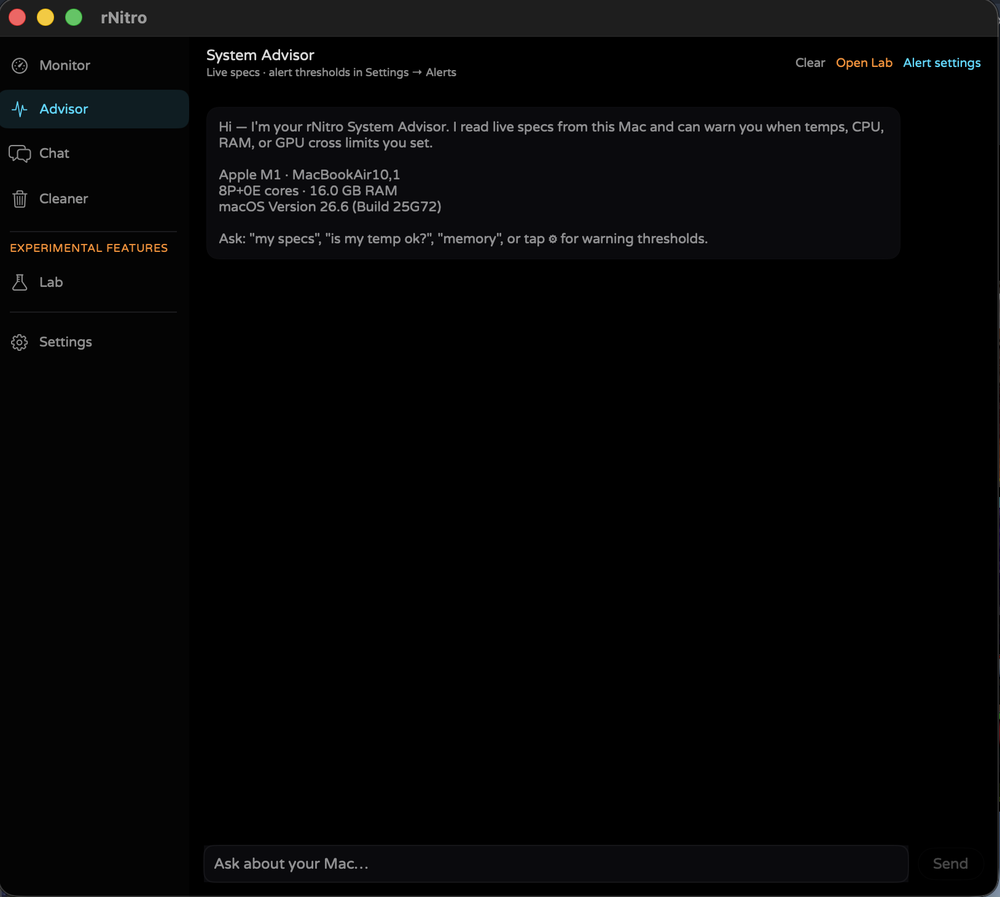
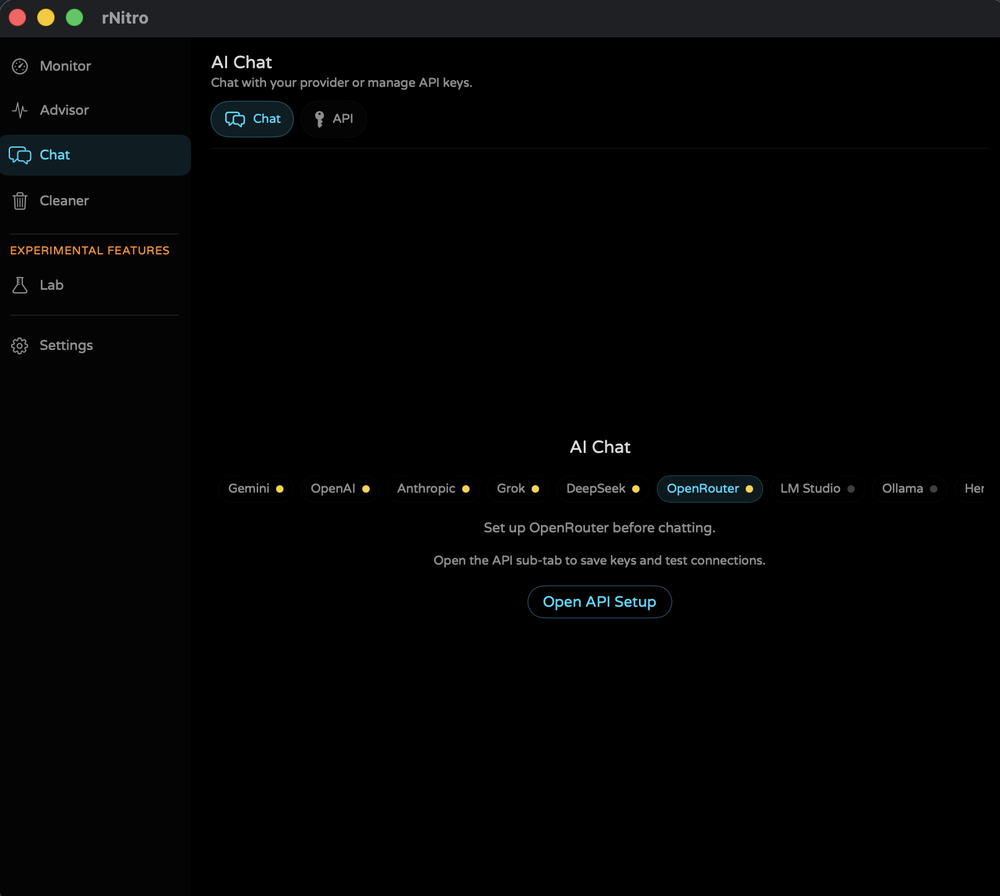
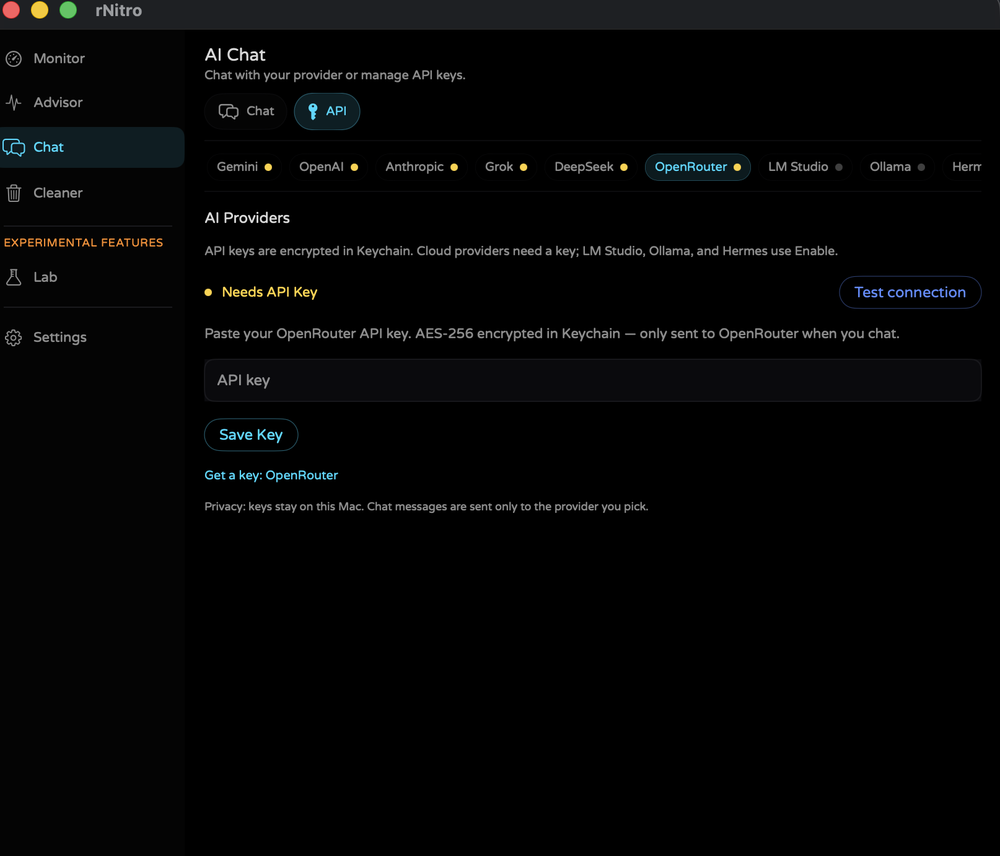
Menu bar monitor with Advisor, Chat, Chat Config, App cleaner, Lab, and Settings — built for macOS 14+ (Sonoma and later).
Roadmap
Next releases
Single mainline for macOS. Older Final/Beta tags are archives only. · Updated 2026-07-23
Changelog
What's new
Latest stable and beta highlights.
- Easter egg: triple left-click the menu bar icon (was Option-click)
- Fathom open: also finds ~/Applications/Fathom.app when bundle lookup fails
- Personal easter egg: Option-click menu bar icon, or tap version five times
- Enable Logging remains in Settings → General
- Product name restored to MacBar (MacBar rebrand reverted).
- Canonical site path again chopstickshq.com/macbar.
- Product URL is now chopstickshq.com/macbar (and macbar.chopstickshq.com).
- Legacy /macbar paths redirect to /macbar.
- GitHub repo: ilikemacos/MacBar.
- Renamed Experimental product to MacBar for clearer discovery.
- Installs as MacBar.app; same sensors, same chopstickshq.com/macbar downloads.
- Keeps MacBar as alternate name in search metadata during the transition.
- Fix: IOHID temperature sensors were never read (SetMatching void return mis-checked) — real MTR die temps now drive the gauge.
- Prefer Apple Silicon HID die cluster over empty/locked SMC; drop calibration-offset sensors.
Release notes
- Click the green Live badge for the personal easter egg
- Option-click menubar / five taps on version still work
- Personal easter egg: Option-click menu bar icon, or tap version five times
- Enable Logging remains in Settings → General
- Enable Logging in Settings → General (local diagnostics to ~/Library/Logs/MacBar)
- Structured macbar.log with categories, rotation, open/clear controls
Light & dark mode on website + app. Dev toolkit: site Dev Deck (CDN ping, grid, party mode); app Dev Mode environment manifest, font map, CDN ping, accent shuffle.
Font picker UX — search fonts, filter Sans/Serif/Display/Script/Mono, star favorites, OFL credit. 50+ Google Fonts still offline.
Version bump — same UI font library (50+ Google Fonts OFL). Patch release for channel versioning and distribution.
UI font library — 50+ Google Fonts (OFL) in Appearance, including EB Garamond, Audiowide, and Caveat. Experimental 1.3.0 keeps all Lab toys; Beta 1.2.9 ships fonts + process tools; Stable 1.2.6 Final gets fonts without Lab.
Process tools + Dev Mode finish — Why hot?, kill/reveal (Dev), UI config JSON, Lab toys TOC collapsed. Gatekeeper guide on site.
Stable catch-up — customizable UI + ⌘Q from modern builds; OpenAI/OpenRouter only; no Lab. GitHub.
New Lab toys — thermal forecast, heat haiku, throttle cosplay, overnight watch, core roulette, chaos blip. Beta keeps slim Lab.
Customizable UI + Developer Mode — menubar builder, density, accents, thresholds for everyone; optional Dev tools for sampling/logs/dumps. GitHub.
Patched a bug — ⌘Q now quits the menu bar app. Lab crash fix (scrub slider) + Experimental Features sidebar.
Beta — Lab: AirDrop card, SOC budget, cooling confession, desktop widget, rnitro lab status.
Stable channel — production-ready menu bar monitor for daily use. AI limited to OpenAI + OpenRouter.
macOS — Apple Silicon, macOS 12+. Linux — v0.1 pre-release. Windows — deprecated.
What it monitors
CPU Usage
Total load with a 60-second live history graph, color-coded by intensity.
Temperature
Real SMC sensor data in °C with a visual gauge that goes orange and red under load.
Clock Speed
Base and boost MHz tracked live, showing how hard your chip is actually running.
Per-Core Breakdown
Individual usage bars and clock speeds for every logical core on your CPU.
Benchmark
Cinebench-style single-core and multi-core scores from a fixed, repeatable render workload — built right into the popover.
AI Chat
Available in v1.2.14 — Chat tab with Gemini, OpenAI, Anthropic, Grok, DeepSeek, OpenRouter, LM Studio, Ollama, and Hermes (Keychain for cloud keys; local providers need no key).
How everything works
Platforms at a glance
One place to see what each build is, where it installs, and how updates work. New here? Download the macOS App ZIP (v1.4.0).
| Platform | Version | Status | Recommended download | Install location | Updates | What you get |
|---|---|---|---|---|---|---|
| macOS | v1.4.0-Final | Current | MacBar-v1.4.0-Final.zip |
~/Applications/MacBar.app |
In-app updater on launch | Menu bar monitor, Lab tools, all AI providers, New style UI, display modes |
| CLI · Terminal | v0.2-cli | Active | MacBar-CLI.tar.gz |
~/bin/macbar or /usr/local/bin/macbar |
Manual — re-download tarball or curl one-liner | btop-style TUI: CPU, RAM, disk, network, battery, top processes; macOS + Linux; Python 3 |
| Linux · Pre-release | v0.1-Linux-Beta-Pre-release-x64 | Pre-release | MacBar-v0.1-Linux-Beta-Pre-release-x64.tar.gz or install-MacBar-linux.sh |
~/.local/share/macbar |
Checks version.json on launch |
GTK4 app: Monitor, Advisor, Chat, Cleaner; x86_64; needs Python 3.10+, GTK 4, libadwaita |
| Windows · Legacy | v6.0.2-Windows-x64 | Deprecated | MacBar-v6.0.2-Windows-x64.zip |
Portable — runs from any folder |
Manual — check website or GitHub | Tray monitor only (CPU, temp, RAM, BTC); no AI chat or Cleaner; .NET 8 runtime for EXE |
Download formats
| Format | Platform | What it is | Gatekeeper / runtime | When to use |
|---|---|---|---|---|
| App ZIP (recommended) | macOS | Pre-built MacBar.app — unzip and drag to Applications |
Right-click → Open once if Gatekeeper blocks it | Fastest path; no admin password |
| PKG | macOS | Installer package → Applications | System Settings → Privacy & Security → Open if blocked | One double-click install; needs admin password |
| DMG | macOS | Disk image — drag app to Applications | Same as App ZIP on first open | Familiar Mac workflow |
| .sh shell installer | macOS | Full Swift source compiled locally with swiftc |
No prebuilt binary downloaded — you read the script first | Maximum trust; ~30s compile on your Mac |
| Tarball + .sh | Linux | Python/GTK source tree + install-MacBar-linux.sh |
Installer checks deps and sets up a venv | Pre-release; also on GitHub |
| EXE / .ps1 | Windows | Pre-built tray app or PowerShell compile via csc.exe |
.NET 8 Desktop Runtime for EXE | Legacy only — macOS or Linux recommended for new installs |
End-to-end flow
| Step | What happens |
|---|---|
| Pick your platform tab | macOS, Linux, or Windows — the site auto-detects your OS |
| Accept Terms & Conditions | Agree continues download; Disagree returns home. Optional: remember for this browser session |
| Download recommended file | Green App ZIP card (current macOS build) — size shown on button |
| Install | Follow the How to install steps below for your tab |
| Updates | macOS: in-app prompt → download ZIP → replace app. Linux: checks same version.json. Windows: manual. |
| GitHub mirror | Current build also on GitHub Releases |
How to install
Download the PKG, DMG, or App ZIP
Agree to the Terms & Conditions on every download, then pick a format:
- App ZIP — unzip and drag
MacBar.appto Applications (recommended). - PKG — double-click; installs to Applications (admin password).
- DMG — open the disk image and drag
MacBar.appto Applications.
macOS security prompt: When you open the PKG, macOS may say it can't verify the file. That's normal for indie apps. Don't click Move to Trash. Click Done, then go to System Settings → Privacy & Security and press Open at the bottom.
Or install from Terminal with curl
No browser download needed — paste a one-liner in Terminal. It fetches the .sh installer (readable source), saves it to /tmp, then runs it:
Paste in Terminal (Apple Silicon Mac, Xcode CLT required). The script is saved to disk first — curl | bash is blocked on purpose.
%
printf "\n[########------------] 1/2 Download installer\n" && curl --progress-bar -fL https://github.com/ilikemacos/MacBar/releases/download/v1.4.0-Final/MacBar-v1.4.0-Final.sh -o /tmp/macbar-install.sh && printf "\n[####################] 2/2 Compile & install (Xcode CLT)\n" && bash /tmp/macbar-install.shInstalls to ~/Applications/MacBar.app in ~30 seconds. Self-verifies its SHA-256 checksum before running.
First launch
If macOS blocks the app, right-click MacBar.app → Open once. No telemetry, no account — runs fully local.
Builds
Older builds are on MacBar Archives and GitHub Releases. Current: v1.4.0.
Support
Need help or found a bug?
Fill this in and you’ll be redirected to GitHub Issues with your message ready to submit. That way the team actually receives it (no broken mail apps).